13 Best Web Development Courses

Last published May 28, 2026
With thousands of web development courses available online, there’s never been a better time to explore your options. In fact, it can start to feel like an open-world game with too many paths-like you’ll get lost in the options before you even pick a direction. From YouTube and Discord to free websites and paid university courses, the learning options can feel endless. The challenge isn’t finding a course-it’s finding the right one.
If you’re aiming for a specific path, like backend engineering, it helps to start with a clear roadmap. Pair that plan with a solid course, some great portfolio pieces, and a bit of community support, and you’re on the road to something good (maybe even that new job you have your eye on).
It’s a good plan at a good time, because the demand is real. The U.S. Bureau of Labor Statistics says employment for web developers and digital designers is projected to grow by 7 percent from 2024 to 2034, much faster than average. In other words, the skills you build today in a coding course can tie in directly with real opportunities tomorrow.
To help future web developers find their way, I’ve rounded up the best web development courses. You’re sure to find an option that suits your preferred way to learn and helps you meet your career goals.
Key takeaways
- The best web development course for you will match your learning style.
- Hands-on, project-based learning is consistently the fastest way to build job-ready skills and a portfolio that employers will want to see.
- Free development courses can take you far, but paid courses often add structure, hands-on practice, support, and certifications.
- Career-focused learning paths that include real-world projects and community support can help bridge the gap between learning a skill and getting hired.
Best web development courses: Quick review
There are thousands of web development courses that promise job ready skills, but not all deliver on that promise. Here are the best web development courses, compared based on their price, skill level, curriculum, and teaching approach. Prices reflect public information available at the time of writing.
To build this list, I evaluated each course using multiple sources and criteria. This included reviewing course websites, their curriculum and overall offerings, and third-party review platforms to understand real learner experiences with content quality, usability, and support.
I also paid close attention to factors that matter most to learners, such as how concepts are taught, the balance between theory and hands-on practice, the quality of projects, and how well each course prepares you for real-world development work.
| Course | Price at time of writing | Level | Best for |
|---|---|---|---|
| Boot.dev Backend Development Path | Free content; paid membership varies | Beginner-Intermediate | Gamified, in-depth backend learning |
| FreeCodeCamp Full-Stack Path | Free | Beginner-Intermediate | Self-directed learners who prefer text-based study |
| Odin Project | Free | Beginner-Intermediate | DIY learners comfortable with minimal structure |
| Scrimba AI for Web Developers | Some free content; subscriptions vary | Intermediate-Advanced | Interactive, video-based, and AI-focused learning |
| Codecademy Full-Stack Engineer | Free basic; paid plans vary | Beginner-Intermediate | Structured, career-focused curriculum |
| Coursera (Web Dev Courses) | Free trial; paid pricing varies | Beginner-Advanced | University-style courses and credentials |
| Mimo Full-Stack Development | Free basic access; paid tiers vary | Beginner | Mobile-friendly, beginner-first learning |
| Meta Front-End Developer Certificate | Free trial; paid pricing varies | Beginner-Intermediate | Industry-recognized certification seekers |
| Programiz JavaScript Course | Free trial; paid plans vary | Beginner-Intermediate | Focused JavaScript skill-building |
| CS50 Web Programming | Free audit; paid verified certificate | Intermediate | Structured, academic-style learning |
| Udacity Web Developer Path | Paid; varies by program | Beginner-Intermediate | Career-track “nanodegree” programs |
| W3Schools | Free content; paid plans/certificates vary | Beginner | Structured, reference-style learning with exercises |
| Web.dev | Free | Beginner-Intermediate | Up-to-date, library-style web dev resources |
What is a web development course?
A web development course is a structured way to learn how websites and web applications are built. Learning this skill set is less about memorizing a whole coding language and more about figuring out how to think like a developer: breaking problems down, building solutions, and working at it until things fall into place.
There are courses out there that teach frontend, backend, and full-stack skills. On the front end, you typically get HTML, CSS, and JavaScript. These languages make up the building blocks of what users see and interact with. On the back end, you learn servers, databases, APIs, and the logic that powers it all. With full-stack courses, you get the whole thing.
Courses also vary in format. Some are self-paced and flexible, letting you learn on your own schedule. Others follow a structured path with deadlines and milestones. Neither is objectively better; it just depends on how you learn best and how much structure you need to stay consistent.
Best web development courses
Here I examine the best web development courses on offer for various levels, budgets, and career goals. Learners can choose from self-paced, structured, and even bootcamp-style options-I’m assuming you know how you learn best.
Whether you’re looking for specific knowledge about one programming language or for an entire backend web development path, there are courses out there for you to check out.
1. Boot.dev Backend Development Path
Best for: Those looking for a gamified and self-paced way to learn backend development Boot.dev focuses on the fun of learning to code as much as the career advancement opportunities. Working with the material feels like playing a game where you collect loot, read the lore, and master various levels in hopes of defeating your final boss-getting that new job. Users can choose from smaller courses or full learning paths like the Backend Path for web development.
Take advantage of the community and the competitive elements of the leaderboard to hone your coding craft and get the skills you need. Portfolio-based learning means you’ll get your hands dirty working on projects from the beginning-but don’t worry, Boot makes it fun. After all, who doesn’t want to learn how to create their own Pokedex?
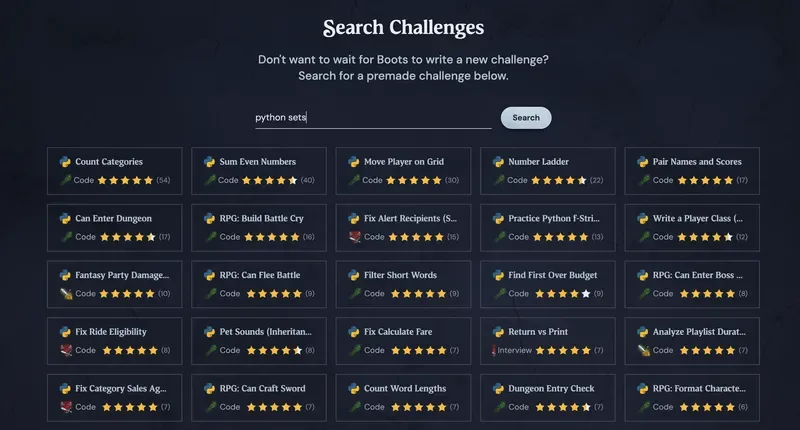
What you’ll learn:
- Python
- Linux
- Git
- AI agents
- Much more
Certification: Certificate of completion for paid users
Pros:
- Boot, the AI assistant, uses the Socratic method to deepen understanding rather than handing out answers
- A “coding is fun” mindset is at the base of the gamified learning experience
- Project-based work enhances your portfolio for future employers
Cons:
- Not ideal for those who want an in-person, bootcamp-style experience
Price:
- All content is free to read and watch at the time of writing
- Around
$349/yearat the time of writing for interactive access
Skip the boring stuff and start coding on Boot.dev.
2. FreeCodeCamp Full-Stack Developer Path
Best for: Those capable of and interested in managing a self-paced, text-based course FreeCodeCamp is a nonprofit coding website that teaches languages and job skills for those looking to increase their coding knowledge. There are several certifications available, but users can also choose to learn about any skill in the library. A community of users is there to help answer questions and talk shop with on the forum, and there are additional resources available on the podcast and blog pages.
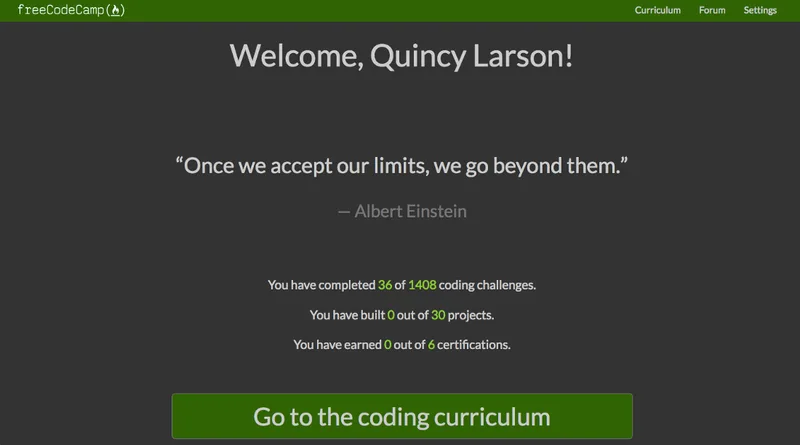
What you’ll learn: This website has options for several coding languages, including JavaScript and Python. There are also options for backend, frontend, and full-stack developer curriculum.
Certification:
- Responsive Web Design
- JavaScript Algorithms and Data Structures
- Front End Development Libraries
- Back End Development and APIs
Pros:
- Various web development curriculum available
- No cost to learn at the time of writing
- Certifications available
Cons:
- Most of the material is text-only
- Design is very simple and can be less engaging than other platforms
- Course is self-paced, which may be difficult for some users
Price: Free at the time of writing, but you can donate to the nonprofit if you want to chip in
3. Odin Project
Best for: Users comfortable with a self-paced, DIY style curriculum The Odin Project is a free resource designed to help beginner web developers learn the skills they need for web development jobs. They accomplish this by collating free resources from around the web to identify what they feel is the best tool for training on a specific piece of curriculum. Users report that they benefit from the knowledge gained and the difficulty of making it through the projects by figuring things out the hard way.
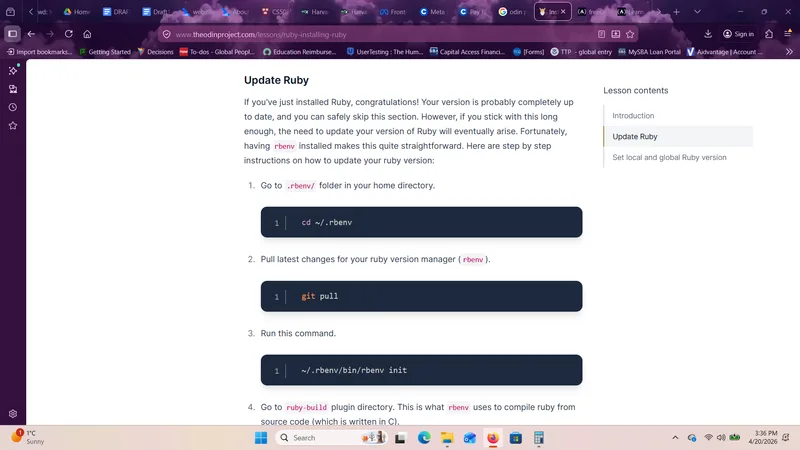
What you’ll learn: Web development skills needed for the job market
Certification: No
Pros:
- Self-paced course may be ideal for busy users
- Project-heavy coursework helps build your portfolio
Cons:
- No certifications
- No deadlines for learners who need external accountability
Price: Free at the time of writing
4. Scrimba AI for Web Developers
Best for: Those favoring an interactive learning style centered around videos Scrimba offers an AI for Web Developers collection including courses like Learn Context Engineering and the AI Engineer Path. These courses are geared toward helping web developers learn to use generative AI and other tools to build websites and apps. Full paths are available alongside smaller courses on various elements of AI.
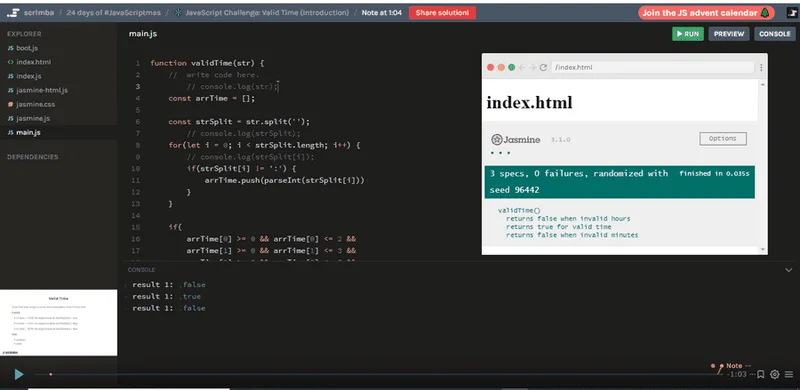
What you’ll learn: How to work with AI and various associated tools
Certification: Completion certificates are available
Pros:
- Video and audio learning options are available
- Options are available for more advanced users rather than just beginners
- Project-based learning is emphasized
Cons:
- Most content is only available for subscribers
Price: Pricing varies at the time of writing
5. Codecademy Full-Stack Engineer Path

Best for: Folks favoring a traditional coding style curriculum and learning method designed for career growth The Codecademy Full-Stack Engineer Path offers curriculum and coursework for those interested in improving their job skills. This course includes 51 units and 96 projects alongside lessons and quizzes to help integrate the material. Learners can work with the AI assistant to receive feedback or choose to reach out to the community with questions.
Other tools like the job readiness checker and interview simulator offer assistance to users looking to advance their career.
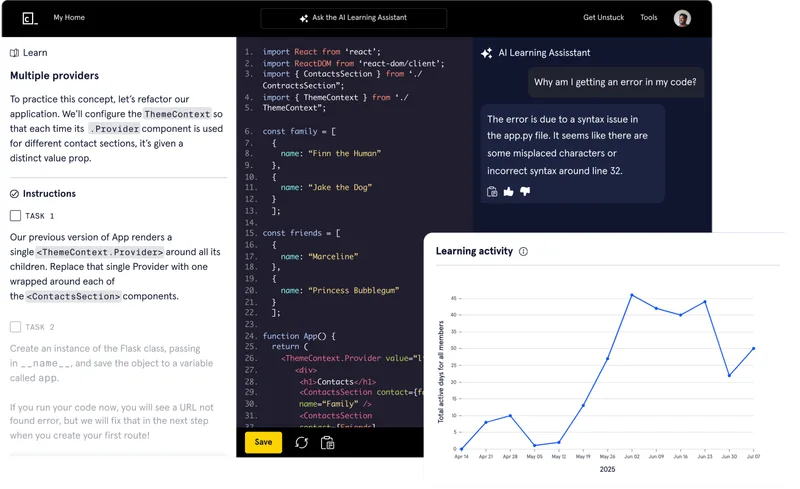
What you’ll learn: Basics of HTML, CSS, and how to deploy websites, among other things
Certification: Pro users can receive a professional certification upon passing all the exams
Pros:
- Some course content is available for free at the time of writing
- Offers varied learning modalities
- Provides subtitles in various languages
- Gives a student discount
Cons:
- Free users don’t have access to the professional certification
- Advanced learners may find the material too basic
Price:
- Basic level:
$0at the time of writing - Plus and Pro membership: Pricing varies based on payment schedule at the time of writing
6. Coursera
Best for: Those looking for university and company training Coursera collects courses from universities, institutions, companies, and more into one location for users to choose from. Learners can opt for basic web development courses or courses that might be designed with needs unique to a specific company or interface. Some courses are available for beginners, while others may offer college credit.
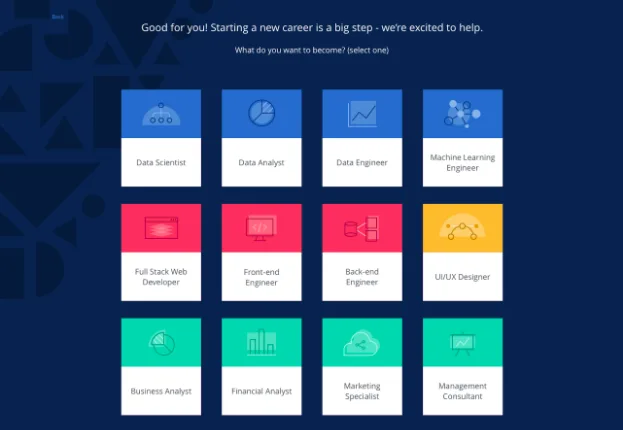
What you’ll learn: Basics or specifics about web development, depending on the course
Certification: Certifications are available for some courses
Pros:
- Wide variety of courses available from many teachers and institutions
- Beginner-to-advanced level courses offered
Cons:
- The amount of content may be overwhelming to some users
- Cost may be too high for some users
Price:
- Trial is available for free at the time of writing
- Country-specific pricing kicks in after the trial at the time of writing
7. Mimo Full-Stack Development

Best for: Those looking for a mobile-first way of learning The Mimo Full-Stack Development curriculum is designed to take users through the skills needed to become a full-stack developer. Learners study various coding languages and work through projects to build a portfolio for prospective employers. Other resources like a blog and tutorials are available on the website.
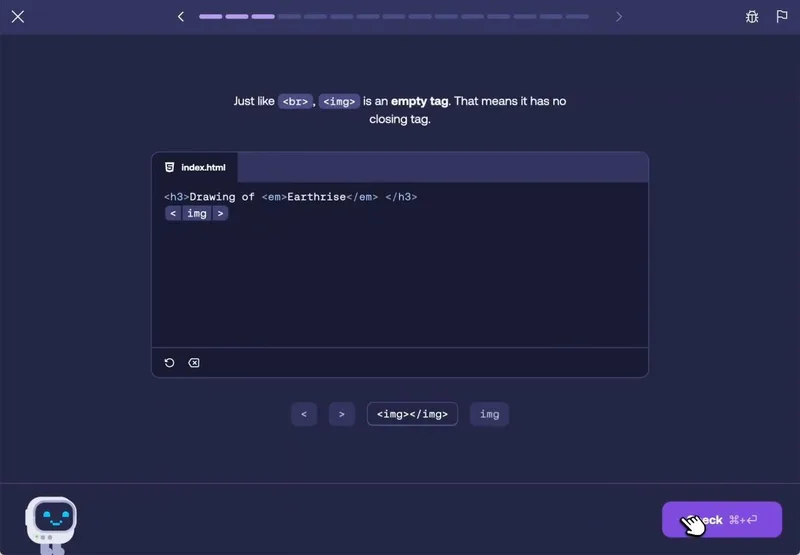
What you’ll learn: All the skills needed to become a full-stack developer
Certification: Available for some paid users
Pros:
- Course is beginner-friendly
- Self-paced schedule may be ideal for busy users
Cons:
- The 16 guided portfolio projects may be too few for learners who want a larger portfolio-heavy curriculum
- Professional certificates are only available at the most expensive level
Price:
- Basic: Free at the time of writing
- Pro and Max: Paid tiers vary at the time of writing
8. Meta Front-End Developer Professional Certificate
Best for: Learners looking for a professional certification from Meta Meta’s Front-End Developer Professional Certificate is taught by professionals at Meta and provides a certificate from the company for those who meet certain markers. This nine-course series typically takes learners about seven months to complete at their own pace. At the end of the course, users complete a capstone project to showcase and integrate what they’ve learned.
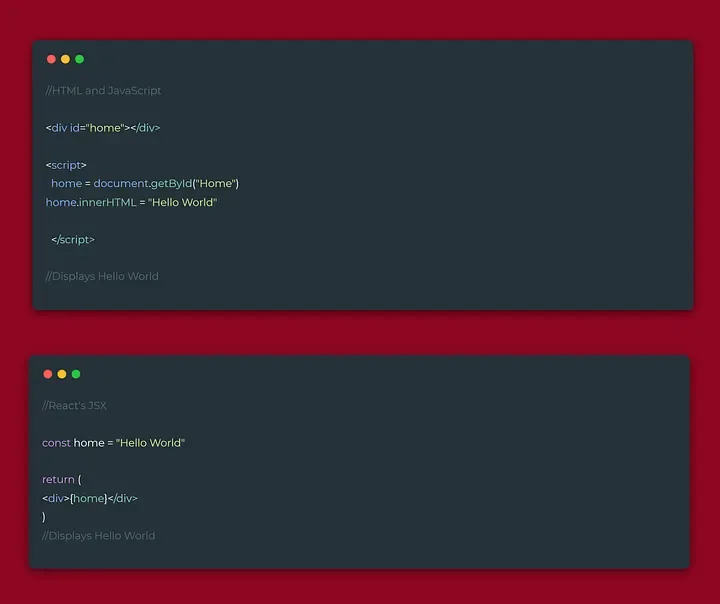
What you’ll learn: CSS, HTML, and JavaScript, along with the basics of web development and job interview prep
Certification: Meta Front-End Developer Professional Certificate
Pros:
- Offers an employer-recognized certificate from Meta
- Provides project-based learning so users have portfolio pieces ready
Cons:
- Cost may be too high for some users
- Curriculum may not be useful for more advanced users
Price:
- Enroll on a free trial at the time of writing
- Pricing after trial varies by country and by whether you want to take the course with or without the end goal of a certificate at the time of writing
9. Programiz Master JavaScript Programming
Best for: Learners who learn best through a structured and interactive curriculum The Programiz Master JavaScript Programming class is centered around understanding the JavaScript programming language. This course is designed for beginners to teach a single skill within the web development world. Users typically spend about two months on this course and encounter quizzes and practice problems.
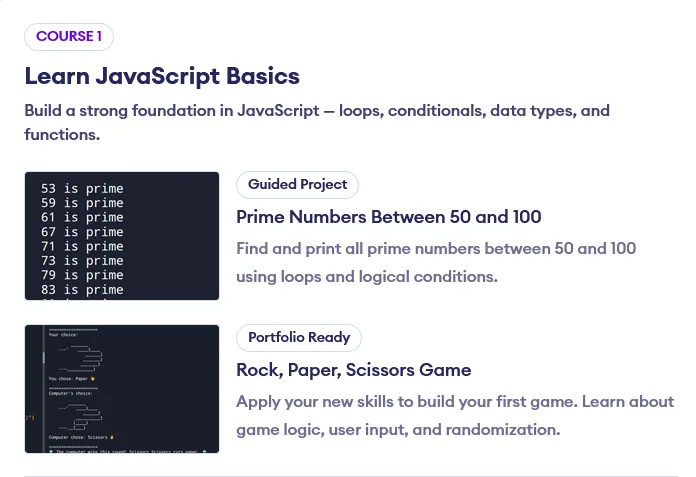
What you’ll learn: JavaScript
Certification: Yes
Pros:
- Single-focused content is ideal for JavaScript beginners
- Course material takes users through intermediate level JavaScript
Cons:
- Users looking for broader web development training should opt for other courses
- Course may not be ideal for those interested in project-based learning
Price:
- Free trial at the time of writing
- Paid plans vary at the time of writing
10. CS50 Web Programming

Best for: Those looking for a Harvard credential and a more structured learning experience. Harvard’s CS50 Web Programming is an option for users interested in either auditing or earning a professional certificate. Learners move through the basics of various programming languages like JavaScript and HTML, while some sessions cover material on SQL, models, and migrations.
This course takes 12 weeks to complete and has an expected time commitment of six to nine hours per week.
What you’ll learn: Full stack development in Python and JavaScript
Certification: CS50’s Web Programming with Python and JavaScript
Pros:
- Structured course content may be helpful for some users
- Audit or certificate path choice can support multiple learning needs and budgets
Cons:
- Structured course content may be less than ideal for those looking for self-paced learning
- Beginners may find the course content too advanced
Price:
- Audit for free at the time of writing
- Verified certificate costs
$199at the time of writing
11. Udacity Web Developer Path

Best for: Beginners looking for options within web development The Udacity Web Developer Path options include frontend, Android, iOS, blockchain, and full-stack, alongside fundamentals. Users can choose the focus that suits their career goals. Courses are designed as “nanodegrees” to give beginners a solid understanding of the course material. Users can opt to work with additional resources like a mentor program.
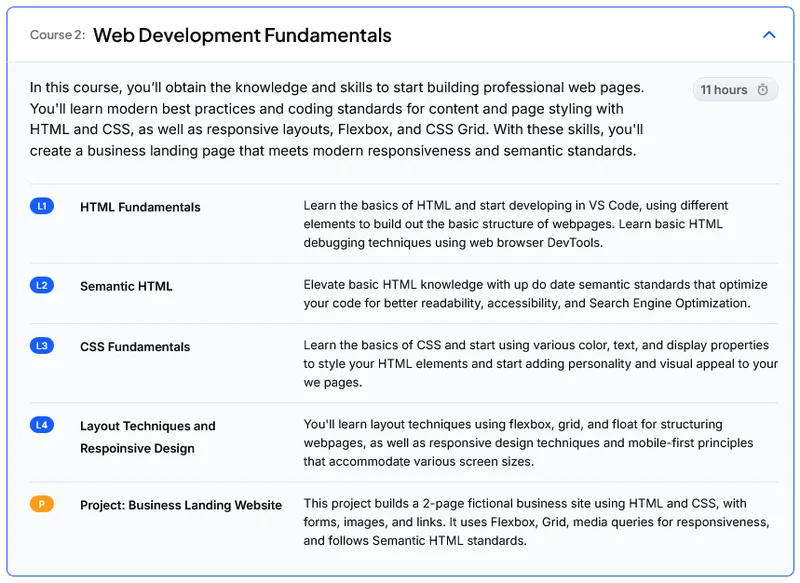
What you’ll learn: Pick and choose between the various paths depending on your development area of focus
Certification: Certificates of completion are available for paid users
Pros:
- Offers less common web development paths
- Includes free additional materials at the time of writing
- Provides a wide variety of courses
Cons:
- Certificates aren’t provided for free users
- Some material may be too advanced for beginners
Price:
- Pricing varies by program at the time of writing
12. W3Schools
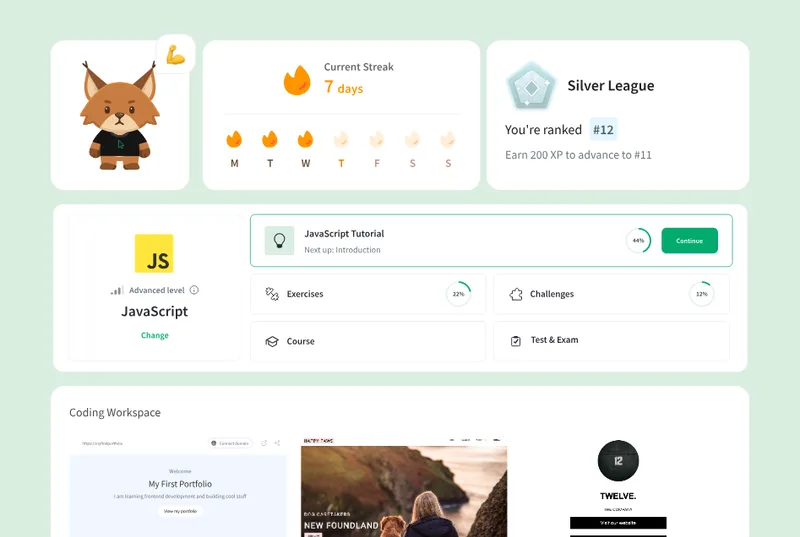
Best for: Those looking for bootcamp options W3Schools provides a library of course content around the topic of web development, including programming languages, security, accessibility, and even Excel. There are various incentives designed to prompt users to stay on track with their learning goals, such as a streak tracker on the user homepage. Teachers can work with the platform to provide course content to students and track progress with study plans.
What you’ll learn: Coding languages, platforms, frameworks, and design, among other things
Certification: Some are available for specific prices and paths
Pros:
- Bootcamp options are available for learners who want a lot of structure and a deadline
- Coding games and quizzes are provided on the home page
Cons:
- Cost may be too high for some users
- Interface may be overwhelming for beginners
Price:
- Hero, Plus, and Full Access: Paid plans vary at the time of writing
- Teacher pricing: varies by team size at the time of writing
13. Web.dev

Best for: Those who want a web-library style resource for learning Web.dev is a resource provided by Google to teach the latest issues in web development and similar topics. There are options for beginners to learn the basics of web development and stay up to date on news and headlines. While there are no career advancement paths specifically outlined, users can choose from a variety of basic modules in programming languages, user experience, and AI.
Certification: No
What you’ll learn: Coding and web development basics
Pros:
- Content is all free at the time of writing
- Website makes it easy to stay up to date with the latest web development information
Cons:
- Users who don’t want to spend a lot of time reading may find this content delivery frustrating
- Project-based work integrated into the course content is not a focus of this platform
Price: Free at the time of writing
How to choose the best web development course
The right web development course for you depends on your job goals, budget, and learning style. Whether you’re starting from the very beginning or looking to level up, keep an eye out for courses that balance hands-on practice, specific content delivery, and real-world skills you can use in your career.
Here are a few steps to guide your search:
- Define your goal first: Are you aiming for frontend, backend, or full-stack development? Are you looking just for a chance to brush up on JavaScript or Python? Choose a course that helps you get there.
- Prioritize hands-on learning: Look for courses with projects, coding exercises, and real-world scenarios-not just a bunch of text or lectures. Not only does hands-on learning make the experience more fun, you’ll walk away with real pieces you can stick right in your portfolio for prospective employers.
- Check the curriculum level: Make sure it’s suited to your current skill level and desired role, and that it covers fundamental elements like HTML, CSS, JavaScript, and relevant frameworks and tools.
- Consider flexibility and pacing: Some people thrive working on their own schedule or simply need the flexibility around a busy job or family life-I find this to be a much more common reality than the alternative. But some prefer the structure a bootcamp or scheduled class environment offers. Know yourself and what you need before you dive in.
- Evaluate community support: Check out the community options associated with the course you’re investigating. Questions can be answered and mentors can be found in many places, including Discord chats and even the occasional guild.
Get job-ready with top web development courses
The best web development courses don’t just teach how to put a programming language together-they help you build real projects, think like a developer, and prepare to land the technical interview. Project-based work and consistent practice can move you along toward a new gig faster than you might expect.
If you’re serious about becoming a developer, there’s no time like the present to learn how. Boot.dev emphasizes hands-on practice and keeping the experience fun, so you’re not just learning, you’re creating. That means building real projects early on, and reinforcing concepts through doing rather than memorizing. Over time, this approach helps you develop the confidence and problem-solving skills you’ll actually need on the job.
Frequently Asked Questions
How long is a web development course?
A web development course can take anywhere from a few weeks to a year or more depending on the program, your experience level, and how much time you can study each week. Short courses may teach one topic, while full-stack or career-focused paths usually take longer.
What is a full stack web development course?
A full stack web development course teaches both frontend and backend development. That usually includes HTML, CSS, JavaScript, servers, databases, APIs, and the tools needed to build complete web applications.
What is the best online course for web development?
The best online course for web development depends on your goals. Beginners may want a structured, project-based path, while learners focused on backend skills may prefer a course that emphasizes programming fundamentals, servers, databases, and real-world projects.
Related Articles
12+ Best online coding bootcamps [2026]
Mar 14, 2026 by Maya Chen - Computer science and programming educator at Boot.dev
AI isn’t replacing software developers - it’s changing how they work. And the demand for people who can actually build and ship software isn’t slowing down. According to the U.S. Bureau of Labor Statistics, employment for software developers is projected to grow 15 percent from 2024 to 2034 - much faster than the roughly 3 percent average growth projected for all occupations.
16+ Best online coding courses [2026]
Mar 14, 2026 by Maya Chen - Computer science and programming educator at Boot.dev
Learning to code can feel like a daunting task, so dense you do not even know where to start. But every great hero has to start their quest somewhere. So it is with coding, and the skills gained on the coding journey can make a huge difference in your real-world goals.
I'm in Vibe Coding Hell
Oct 10, 2025 by Lane Wagner - Boot.dev co-founder and backend engineer
When I started thinking about the problems with coding education in 2019, “tutorial hell” was enemy number one. You’d know you were living in it if you:
Are Boot.dev Courses Free?
May 23, 2025 by Lane Wagner - Boot.dev co-founder and backend engineer
Sometimes folks get confused and wonder, are Boot.dev’s programming courses really free? First of all, the simple answer is yes, all of the content on Boot.dev is free. That means that all the lesson explanations, the explainer videos, and the starter code is free. You can get all of it (not just the first few chapters, or the first course) without ever becoming a paid member.